Wednesday, 6 December 2023

How to add SSL Certificate in own system

Step 1: Log in to SAP GUI

Execute the tcode >> strust

SSL Certificate

Step2: Click on SSL server standard

SSL Certificate 2

Step 3: Select the edit option here

SSL Certificate 3

Step 4: As shown in the screenshot, you need to merge three certificates in one text document

SSL Certificate 4

Step 5: Copy the content from provided SSL certificate in text format

SSL Certificate 5

Step 6: You can see all certificates merged in one single text file

SSL Certificate 6

Step 7: Import certificate as shown in the below screenshot

SSL Certificate 7

Step 8: Select the SSL_prd_certificate and click on the open tab

SSL Certificate 8

Step 9: As shown below click on Allow tab and proceed further.

SSL Certificate 9

Step 10: Now click on the green tick ✓as shown below and proceed.

SSL Certificate 10

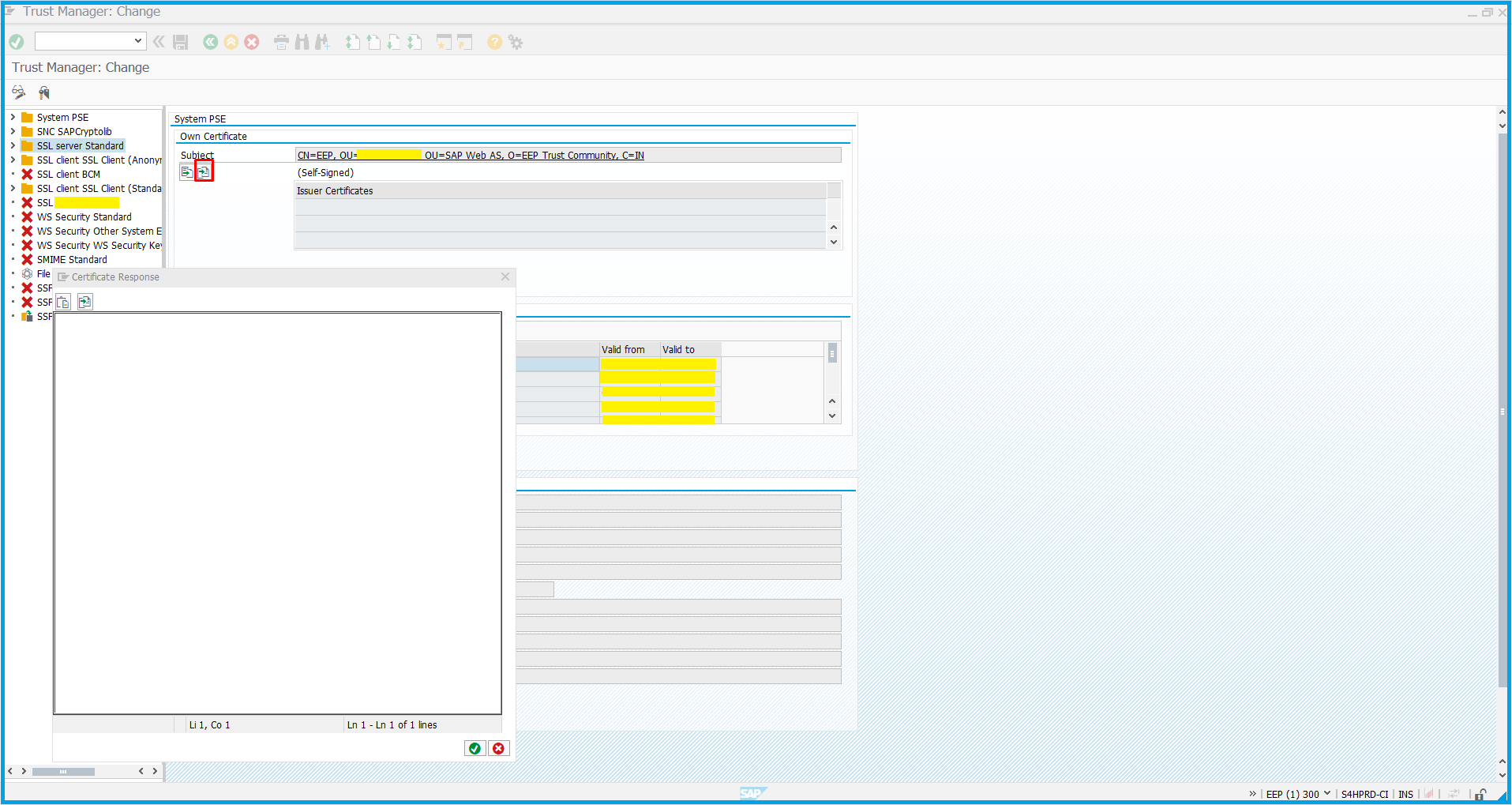
Step 11: As you can see the SSL certificate prompt click on import as certificate and it is done.

SSL Certificate 11 

What are the types of Cloud Computing?

 Cloud Computing can be classified into three categories based on the deployment models- Private, Public, and Hybrid Cloud. Determining the right Cloud Computing deployment is directly associated with the business requirements.

Public Cloud

The Public Cloud environment is usually owned by a Cloud Service Provider and remains accessible to multiple tenants connected via the Internet. In Public Cloud, the Cloud provider creates and maintains the resources that the tenant businesses require. This form of Cloud Computing is considered ideal for businesses with a fixed budget and needs a quick & easy platform for deploying the resources.

Private Cloud

In this type of Cloud Deployment, the infrastructure is owned by a single tenant. Compared to Public Cloud Hosting, Private Cloud delivers a controlled environment where accessing IT resources is more centralized. It also offers higher levels of security and flexibility to customize the storage, networking, and computing resources. However, unlike Public Cloud, it can be difficult to access data from remote locations.

Hybrid Cloud

Hybrid Cloud contains a mix of both, Private and Public Cloud Deployments. Hybrid Cloud offers a highly customizable Cloud solution with security levels of a Private Cloud and easy scalability of a Public Cloud.

What are the types of Cloud Computing

For businesses, ESDS offers all three forms of Cloud Computing on its in-house, Patented Vertical Auto-Scaling Cloud Platform, eNlight Cloud.

Know more about eNlight Cloud deployments.

Private Cloud | Hybrid Cloud | Public Cloud

Tuesday, 5 December 2023

How to schedule background job in SAP

 Introduction

Background jobs are jobs in the SAP system that run in the background without affecting the normal operations in the system. Background jobs are used to reduce manual effort and automate the process. They can run in the background without any user input and can be scheduled to run when the system load is low.

Procedure

Execute T-code SM36

How to schedule background job in SAP 1
How to schedule background job in SAP 2

Fill in the Job name field with the new job name. Select a Job Class priority of A for High, B for Medium, and C for Low.

How to schedule background job in SAP 3

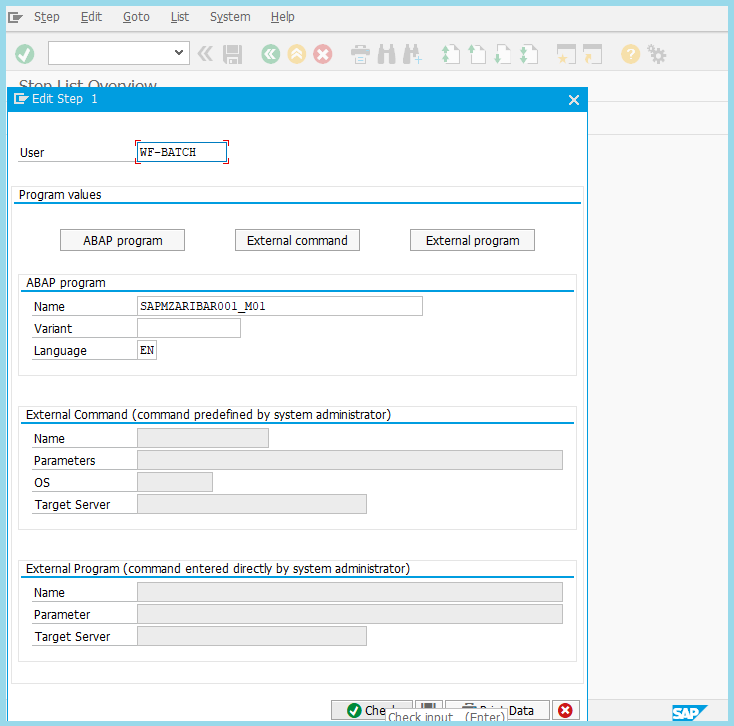
Define ABAP program, variant’s details, etc.

How to schedule background job in SAP 4

add additional step (check box) :

How to schedule background job in SAP 5

Click on Date/Time

How to schedule background job in SAP 6
How to schedule background job in SAP 7

Fill date and time (excluding Sunday)

Click on Hourly/Daily/Weekly period to define the frequency of the job as per your requirement.

How to schedule background job in SAP 8
How to schedule background job in SAP 9

Excluding holiday

How to schedule background job in SAP 10

Execute SM37 T-code Select specified job and press Job >> (Released >> Scheduled).

How to schedule background job in SAP 11

Click on the schedule option

How to schedule background job in SAP 12
How to schedule background job in SAP 13
How to schedule background job in SAP 14

Click on the edit option to change the user.

How to schedule background job in SAP 15

Click on the Save button.

How to schedule background job in SAP 16

Once the job is saved, the job definition and scheduling are completed.

Monday, 4 December 2023

Why should you choose co-location over dedicated hosting?

 Colocation and dedicated servers both have their own benefits and drawbacks. Which one you choose to go with will be based on your specific requirement and how conscientious you are of your budget. Below we will go over the features of each type of server and what their exact differences are and why to choose co-location over dedicated hosting.

co-location over dedicated hosting

Features of Co-location Hosting

Colocation is the process in which a server or multiple servers are located in a data center. If one prefers to choose to host with co-location, they would own the hardware used to host. This provides the user with the advantage of what kind of hardware and is software is used within the server.

Many businesses have bulk-purchasing deals with hardware companies and this is something that they can carry through with the purchase of server and networking hardware; co-location provides businesses that already have their own hardware or wish to use their own hardware with the data center space that they need so that they can host their hardware in a safe and secure environment from which their servers can be accessed from the internet. 

ESDS runs one of India’s leading data centers from Nashik, Maharashtra; with 24×7 support available from our on-site NOC team and a range of 99.95% uptime guarantees signed with many suppliers, ESDS can implement one of the most stable co-location platforms available.

The ESDS data center provides over 10,000 sq. feet of data floor space so that we can accommodate the demands of even the giant enterprises. Our co-location packages vary from rack space for a single server, or two servers up to half a rack, or even an entire rack, with the necessary network and power supplies being provided to supplement the needs of your hardware. Many giant organizations need multiple servers to power their network backbone and for some cloud hosting just isn’t the answer. Hence suggesting that co-location is the only cost-effective solution for those that can supply their own hardware.

Moreover, though some businesses may prefer to host their own hardware on-site, hosting your hardware in ESDS’ premier data center can offer you the best features that won’t be available in an office:

  • Redundant power feeds and UPS systems are in place to ensure that your servers will still have a power supply to utilize if the primary power supply fails; if these fail then diesel generators are also available to generate power.
  • The data center building has been constructed in a way that will reduce the overall internal temperature to help with the effort of keeping your hardware cool along with the building’s air conditioning system.
  • Multiple security features including biometric access to the data floor and a building-wide CCTV surveillance system ensures that only authorized individuals are permitted anywhere near your hardware; all visitors to the site are recorded and monitored. Also, whilst access to server racks is only possible with the correct keys.
  • The ESDS data center network is powered exclusively by Cisco hardware as this helps us to guarantee that the network is nevermore going to fail or be down because of hardware issues.

Features of ESDS Dedicated Servers

Dedicated server hosting has slightly varying services than co-location hosting. One of which is that you do not own the hardware that comes with the server. Dedicated servers are leased out and are housed by the data center provider. That implies you can drop the installation, maintenance, and support to the provider. Although there is a comfort factor to consider when choosing dedicated server hosting, it does come at a higher monthly cost. 

Another important factor to consider is that you need to choose a reliable data center tech support staff to run and maintain your server.

A dedicated server provides a much different experience as compare to co-location hosting; you will be purchasing a physical server from ESDS and although you will never practically own the server, your dedicated server is still yours to access remotely and use as you wish. ESDS offers a range of managed dedicated servers that can be configured using a variety of different options throughout the order process so that you can develop a dedicated server, which meets your special set of requirements.

For a business of any size, a dedicated server is going to represent a vital investment; for the most part, a dedicated server is preferred because it can offer the stability and assurance that a business needs if it is going to make the most of its web presence, as selling goods and services through the internet is one way in which a company can enhance its revenue streams. ESDS can provide Windows servers and Linux servers to give businesses a choice of the platform that they develop their web applications around – some may be more open to the benefits of the open-source community, whilst others may prefer the support available with Microsoft applications.

A dedicated server configuration from ESDS will include the following features as standard:

  • Two IP addresses will enable you to host your websites on separate IPs if required, allowing you to add SSL certificates if necessary to advance the security of your website
  • Full support will be provided by the highly qualified ESDS support team that is available 24×7 waiting to answer your questions so that you have access to the assistance you may require when setting up or maintaining your dedicated server
  • As a Linux dedicated server customer you will have the option of the cPanel control panel for your server as a means of maintaining your server through a web browser as opposed to direct SSH access; a Windows dedicated server can opt for the Plesk control panel if needed.

So, how does ESDS co-location hosting compare to a dedicated server?

Large enterprises will find co-location to be a cheaper and more cost-effective option over the dedicated server hosting where vast server arrays are required because purchasing hardware in bulk often means that a discount can be received from the supplier, whilst the hardware will still have a residual value once it’s at the end of its useful life. ESDS can offer large enterprises the support that they require to get their servers set up in our Tier 3 data center. Our network is designed to cope with high demand without the performance being impacted in any way, making one of our co-location packages a sensible choice for any business.

Small businesses will be able to see more use in dedicated servers because the resources provided will be more in-line with their specifications; ESDS enables you to configure the resources of your managed dedicated server to meet your needs during the checkout process to ensure that you aren’t left with a web hosting plan that isn’t going to perform to your expectations. Full support will be provided along the way to make sure that the setup goes smoothly and that your web applications function properly.

I hope now you can choose what best suits your business. If you need more information, visit our website www.esds.co.in or email us at getintouch@esds.co.in

Monday, 27 November 2023

How to Enable AutoSSL for all Users from WHM Panel?

 As a website owner, you want to ensure that your website is secure for your users. An SSL certificate installation on your website is one way to achieve this. In order to prevent unwanted access to the data being communicated, an SSL certificate encrypts the communication between your website and the browsers of your users.

SSL certificates are automatically installed on domains hosted on your server by the AutoSSL feature of WHM (Web Host Manager).

In this article, we will show you how to enable AutoSSL for all users from WHM Panel.

Explore the Steps to Enable AutoSSL for all the Users from WHM Panel, let’s check it out-

Step 1: Log in to WHM Panel

You must have access to WHM Panel in order to enable AutoSSL. Use your username and password to log into WHM.

WHM Panel

Step 2: Access the “Manage AutoSSL” page

Once you are logged into the WHM Panel, go to the search bar/section and type there “Manage AutoSSL.” Next, click on the “Manage AutoSSL” option that appears.

manage auto ssl

Step 3: Choose the AutoSSL Provider

Your website’s SSL certificate will be provided by the AutoSSL service provider. WHM offers two AutoSSL providers: cPanel and Let’s Encrypt. Choose your preferred provider and then click on “Save” option as shown in below screenshot.

auto ssl provider

Step 4: Enable/Run AutoSSL for all users

Go to the “Settings” tab after selecting the AutoSSL provider. Check the “Allow AutoSSL to replace invalid or expiring non-AutoSSL certificates” box under “Configuration.” This will enable AutoSSL for all users on your server.

enable auto ssl

Step 5: Set AutoSSL Preferences

By selecting “Preferences” under the “Options” menu, you can configure AutoSSL. Here, you may choose the Preferences from the Toggle AutoSSL option and proceed further as shown below.

auto ssl preference

Step 6: Run AutoSSL

You must run AutoSSL after enabling it in order to install SSL certificates on your domains. To launch AutoSSL, Click on the below button “AutoSSL Check” option. All domains hosted on your server will have SSL certificates installed as a result.

run auto ssl

Conclusion

Enabling AutoSSL for all users from WHM Panel is a simple and effective way to ensure that all domains hosted on your server have SSL certificates installed. You can assure that your website is secure for your visitors and enhance their trust in your brand by using AutoSSL. To make AutoSSL available to every user on your server, adhere to the instructions in this article.

Sunday, 26 November 2023

Project Management for Cloud Computing Development: Ensuring Success in the Cloud Era

 Cloud computing has revolutionized the way organizations manage their data, applications, and infrastructure. It offers flexibility, scalability, and cost-efficiency, making it an attractive choice for businesses across various industries. However, the successful development and implementation of cloud computing projects require effective project management strategies.

In this article, we will explore key considerations and best practices for project management in cloud computing development.

Define Clear Objectives and Requirements:

Before embarking on a cloud computing project, it is crucial to define clear objectives and requirements. This involves understanding the specific needs of the organization, identifying the desired outcomes, and establishing measurable goals. By having a well-defined scope, project managers can effectively plan and allocate resources to meet the project’s objectives.

Build a Competent Project Team:

Cloud computing projects often require cross-functional collaboration and expertise from various domains such as IT infrastructure, application development, security, and data management. Building a competent project team with the right skill sets is essential. The team should include individuals who understand the nuances of cloud computing technologies, possess strong project management skills, and can effectively communicate and collaborate with stakeholders.

Develop a Robust Project Plan:

A well-developed project plan is the backbone of successful cloud computing development. It should include a comprehensive timeline, resource allocation, risk assessment, and mitigation strategies. Since cloud computing projects often involve multiple phases and dependencies, it is essential to break the project into smaller, manageable tasks with clear deliverables. Regularly revisiting and updating the project plan ensures that the project stays on track.

Consider Security and Compliance:

Security and compliance are critical aspects of cloud computing development. Project managers should work closely with security experts to identify potential risks and implement appropriate security measures. This includes ensuring data protection, access controls, encryption, and compliance with relevant regulations and industry standards. Incorporating security and compliance considerations from the early stages of the project minimizes the risk of data breaches and legal issues later on.

Implement Agile Project Management:

The dynamic nature of cloud computing development often requires an agile project management approach. Agile methodologies, such as Scrum or Kanban, enable iterative development, frequent feedback, and adaptation to changing requirements. This allows for faster delivery of minimum viable products (MVPs) and continuous improvement based on user feedback. Agile project management methodologies also foster collaboration and transparency within the project team.

Monitor and Optimize Performance:

Cloud computing projects offer the advantage of real-time monitoring and analytics. Project managers should leverage these capabilities to monitor project performance, identify bottlenecks, and optimize resource utilization. Cloud service providers often provide tools and dashboards to track key performance indicators (KPIs) such as response time, uptime, and resource consumption. Regularly analyzing these metrics helps project managers make informed decisions and optimize project outcomes.

Foster Communication and Collaboration:

Effective communication and collaboration are vital for the success of any project, including cloud computing development. Project managers should establish clear channels of communication among team members, stakeholders, and external vendors. Regular meetings, progress reports, and status updates keep everyone informed about the project’s progress. Collaboration tools, such as project management software, document sharing platforms, and virtual meeting solutions, facilitate seamless collaboration among geographically dispersed teams.

Plan for Scalability and Flexibility:

One of the key benefits of cloud computing is its scalability and flexibility. Project managers should consider future growth and potential changes in requirements when designing the architecture and infrastructure. Planning for scalability ensures that the project can handle increased workloads and user demands without major disruptions. Additionally, flexibility should be built into the project plan to accommodate evolving technologies and market trends.

In conclusion, project management plays a vital role in the successful development and implementation of cloud computing projects. By defining clear objectives, building competent teams, developing robust project plans, considering security and compliance, implementing agile methodologies, monitoring performance, fostering communication and collaboration, and planning for scalability and flexibility, project managers can ensure the success of cloud computing projects and harness the full potential of cloud technologies in the modern business landscape.

Wednesday, 16 August 2023

Defending Against Top 10 Database Security Threats


Data is a crucial asset for your business. Every day, businesses collect a large amount of data from their customers and daily operations. The information kept in databases is then used to handle and automate various tasks both inside and outside of businesses.

Data protection is essential to business security because of its significance.

We’ll explore more about potential threats to database security and steps you can take to safeguard your database in this blog:

1. Database injection attacks
Database injection attacks typically take the form of SQL injection attacks.

It usually targets RDBMSs that use SQL as well as relational database servers. NoSQL databases are resistant to these attacks, but they are vulnerable to NoSQL Injection attacks, which are less frequent but just as dangerous.

Both of these attacks work by getting comments on the database engine to expose data and its structures by getting around data entry controls of web applications. Usually, in extreme cases, a successful injection attack will typically give the attacker unrestricted access to the database’s core.

2. Denial of service (DoS/DDoS) attacks

This attack usually occurs when the cybercriminal overwhelms the target service. This is typically the database server in this situation, using a large number of fictitious requests. Consequently, the server cannot carry genuine requests from actual users – it will either crash or become unstable.

In a DDoS, a sizable number of computers typically produce fake traffic. It is a botnet that the attacker controls that generate a lot of traffic that is challenging to stop, especially if you don’t have a highly defensive architecture. These significant attacks can be scaled and dynamically addressed by a cloud-based DDoS protection service.

3. Malware

Malware is software designed to exploit any flaws that could harm a database. They could access the network of the database from any endpoint device.

Because of their high value and sensitivity, database servers are the type of endpoint where malware protection is essential.

Read More>>

Sunday, 6 August 2023

The Power of Robust and Reliable ESDS DRaaS Solutions


the power of robust and reliable ESDS DRaaS Solutions

Disaster recovery is a critical aspect of any business’s IT infrastructure. The ability to quickly and efficiently recover data and systems during a cyberattack, natural disaster, or human error is essential for minimizing downtime and maintaining business continuity. That’s where Disaster Recovery as a Service (DRaaS) comes into play. In this article, we will explore the robust and reliable DRaaS solutions offered by ESDS and the advantages they provide for businesses of all sizes.

What is DRaaS?

DRaaS, or Disaster Recovery as a Service, is a cloud-based solution that enables businesses to replicate and recover their critical data and systems in the event of a disaster. It provides a cost-effective and scalable alternative to traditional disaster recovery methods, such as cold backups or maintaining a secondary data center. With DRaaS, businesses can leverage the power of the cloud to ensure the continuity of their operations and protect their data from any disaster scenario.

The Three Tiers of DRaaS

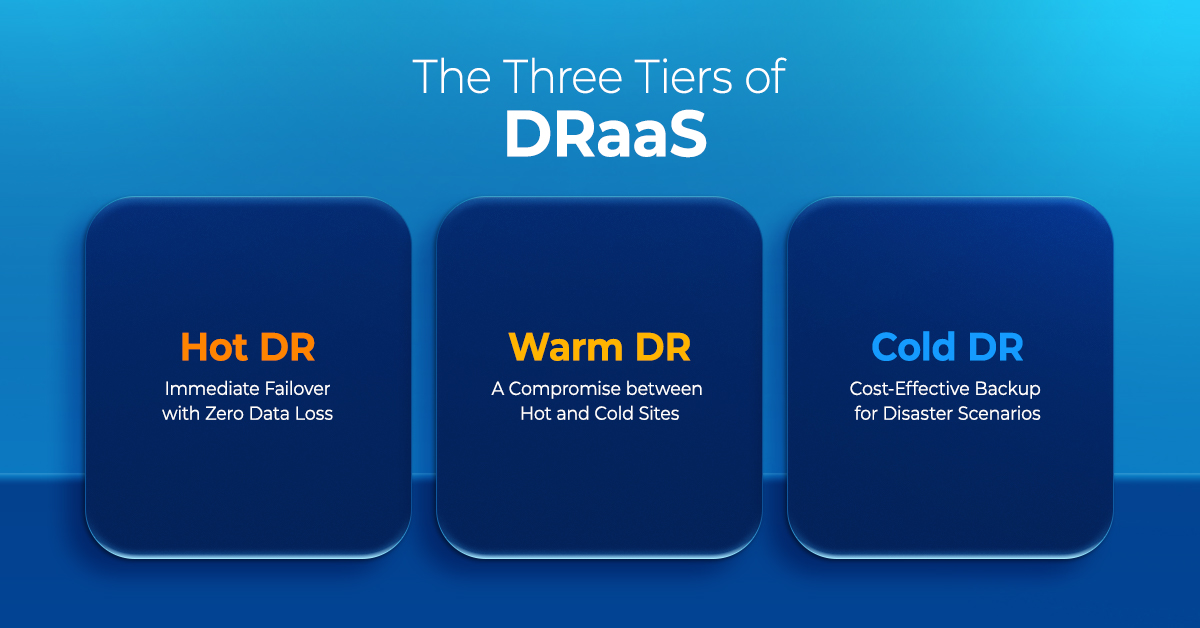
ESDS offers three tiers of Disaster Recovery Services (DRaaS) solutions: Hot DR, Warm DR, and Cold DR. Each tier provides a different level of recovery time objective (RTO) and recovery point objective (RPO), allowing businesses to choose the level of protection that best suits their needs.

The Three Tiers of DRaaS

1. Hot DR: Immediate Failover with Zero Data Loss

Hot DR is the highest tier of DRaaS offered by ESDS. In the event of a failover, the hot standby system takes over immediately without any data loss. This means businesses can resume their operations within seconds to minutes, minimizing downtime and ensuring business continuity. Hot DR is ideal for businesses that require near-zero RTO and RPO to protect their mission-critical applications and data.

2. Warm DR: A Compromise between Hot and Cold Sites

Warm DR is a middle-tier solution that offers a balance between the high availability of hot DR and the cost-effectiveness of cold DR. With warm DR; businesses can achieve a standard RTO and RPO through asynchronous replication. While the recovery time may take longer compared to hot DR, warm DR provides a more affordable option for businesses that require a reasonable level of protection for their applications and data.

Read More>>

Sunday, 11 June 2023

Disaster Recovery Checklist: How to Prepare Your Business for the Worst


Disaster Recovery Checklist

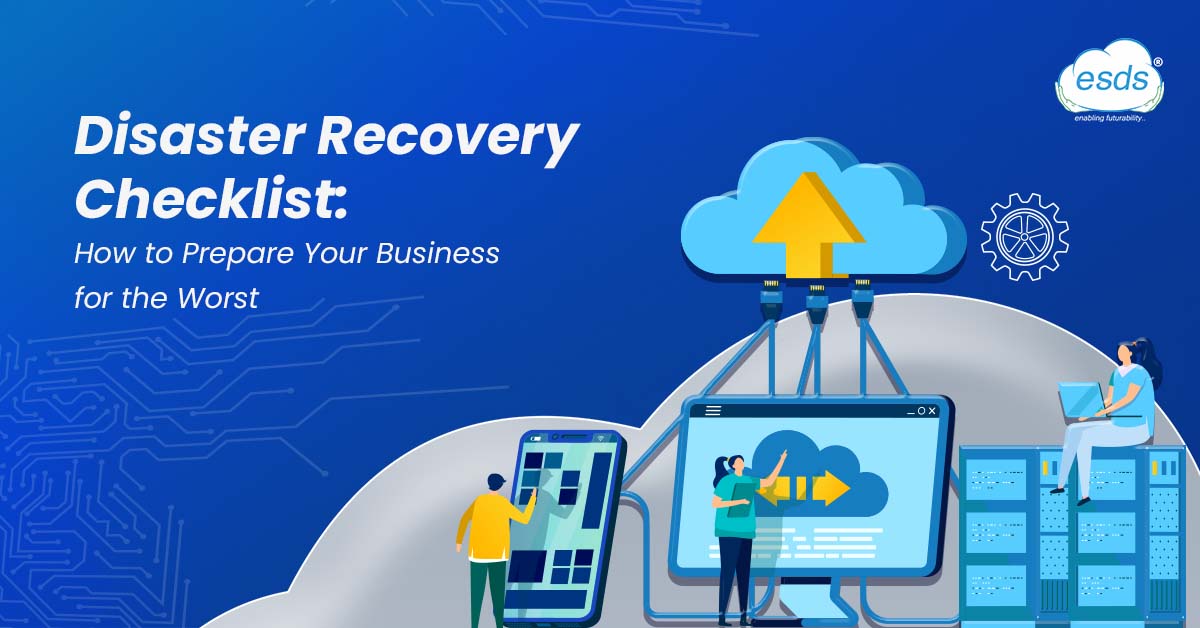
Disasters are never anticipated by anyone. Disasters are inescapable and hardly ever occur at a convenient time, whether they are caused by natural disasters, hardware failures, or even staff negligence. It’s wise to assume the worse while making plans for a disaster. Having a Disaster Recovery Plan at the right place for when your business experiences a power outage, internet outage, phone outage, or complete operational shutdown is part of being prepared for the worst.

Objectives of A Disaster Recovery Plan

A disaster recovery checklist is designed to assist your company in anticipating issues that will arise in the event of a loss of power, internet, and possibly even data. Your data recovery plan needs to do the following to prevent the production and financial loss:

Reduce Risk

Assessing your possible risk is the first step in building your recovery strategy and checklist. What vulnerabilities might your company be exposed to right now if a natural disaster struck? Consider the location of your business. Are you susceptible to flames, tornadoes, or hurricanes? Do you have frequent power interruptions throughout the winter?

Help operations quickly resume

Your team and customers will need to have access to your systems as soon as feasible. Solutions for gaining access to your system without requiring physical access should be part of your plan.

Uphold Compliance

Take into account any rules you might need to abide by to lower your chance of facing consequences for not meeting compliance commitments.

Read More>>

Monday, 15 May 2023

Unlocking the Potential of AI-Based Technology


Unlocking the potential of AI-based technology

4 billion+ devices already work on AI-powered voice assistants (source: connect.comptia.org). This clearly suggest how widely AI-based technology is being used. In recent years, AI-based technology has revolutionized how businesses operate, with its ability to streamline operations, enhance efficiency, and improve decision-making. Unlocking the potential of AI-based technology can give organizations a competitive advantage, enabling them to make better-informed decisions, improve productivity, and reduce costs. This article will explore the benefits of AI-based technology and how it can be effectively utilized to drive business growth and success.

What is Artificial Intelligence?

The simulation of human intelligence processes by machines, particularly computer systems, is known as artificial intelligence. Expert systems, natural language processing, speech recognition, and machine vision are examples of AI applications.

Artificial intelligence-focused cognitive abilities

Learning: This element of AI programming is concerned with gathering data and developing rules for turning it into usable information. The rules, known as algorithms, teach computing equipment how to execute a certain task step-by-step.

Reasoning: This part of AI programming focuses on selecting the best algorithm to achieve results.

Self-correction: This element of AI programming is intended to fine-tune algorithms to produce the most accurate results constantly.

Creativity: This branch of artificial intelligence employs neural networks, rules-based systems, statistical approaches, and other AI techniques to generate new images, text, music, and ideas.

Read More>>